Tools in Digital Forensics
Digital Forensics is a subdomain of forensic science that involves the recovery and investigation of relevant material found in digital

Digital Forensics is a subdomain of forensic science that involves the recovery and investigation of relevant material found in digital devices. The practical applications of this field come with its set of technical and human challenges. Moreover, with rapidly evolving IT infrastructures, organizations need to deploy effective forensics policies to enhance security and standardization in their systems. This implies that individuals in technology-oriented careers need to have a specific technical skillset for overcoming challenges at work. Interestingly, individuals can train themselves in forensics technologies and add value to their organizations by ensuring professional integrity and survivability.
In this blog post, I adopt a sequential approach to configure an open source forensics tool, explore its features and demonstrate the usage of the tool in the context of gaining insights into a real world problem. I have chosen Remnux and linked it with the case study of analysis of malicious PDF documents.
- Remnux is an open source Linux toolkit which helps malware analysts with reverse-engineering malicious software
- Few of its main features are listed below:
- It can examine and handle network interactions
- It has a wide array of options for examining malicious documents and browser malwares
- It is specifically useful for memory forensics and reverse engineering malware
- It can also be used for static analysis of malicious executables and web pages
Configuration
Now, let us look into the steps required for configuring Remnux on your local computer:
- Download the Remnux file with OVA format from the Remnux website
- Open your virtualization software such as VMware or VirtualBox
- Create a New Virtual Machine using the OVA file downloaded earlier
- The virtualization software will automatically start importing the Remnux toolkit
- After importing successfully, select Remnux from the left panel of your virtualization software and click on Play/Run Virtual Machine
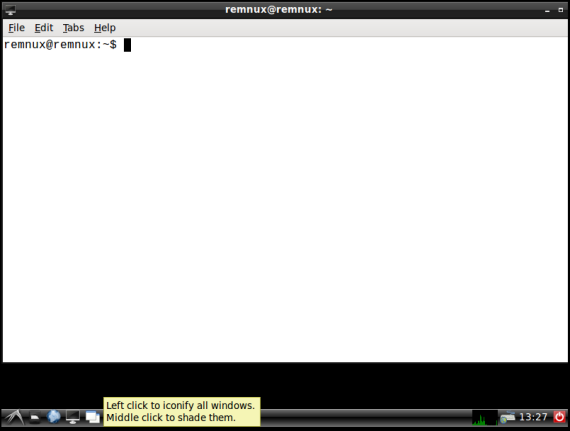
Remnux: All set up!
Case Study: Analysis of PDF files for malicious content
PDF files are the most common and universal medium of digital communication in written format encountered in offices, academic institutions and governments globally. Generally, a PDF file is comprised of a header, various document objects and cross reference tables. The language of the PDF structure is quite rich and complex.
The PDF file can easily be used to transmit sensitive information between cross-platform systems. This portability feature provides a window of opportunity to malicious users. The embedded JavaScript (or JS) elements are specified by the “/JavaScript” objects in the objects tree structure. A malicious pdf contains obfuscated JS objects as hackers are able to embed JS code in the PDF document. Upon downloading this document, the embedded scripts are executed automatically to activate malicious functions.
Steps involved
I studied in detail and then executed a subset of commands from the Remnux Distro to first, understand the structure of the PDF file and then, extract meaningful information from it which enabled me to come to an outcome eventually. Please note that all commands are executed on a malicious test file pdf3.pdf.

Displaying file info
1. In the first step, I obtained the document information of the PDF file using pdfinfo
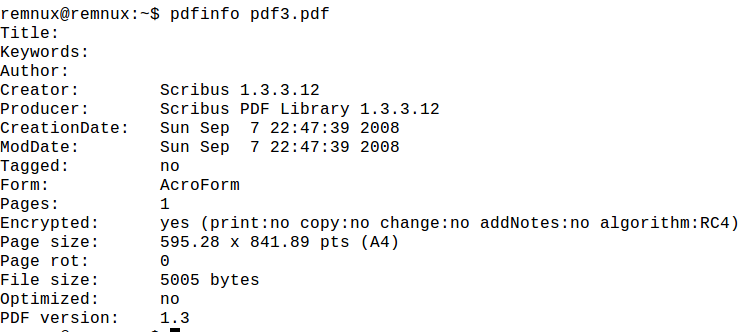
Executing pdfinfo
2. Then, I identified document objects of all types present in the PDF file using pdfid
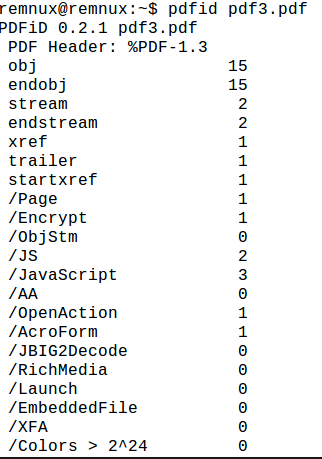
Executing pdfid
3. Next, I used pdfparser to list all the JS objects contained in the file
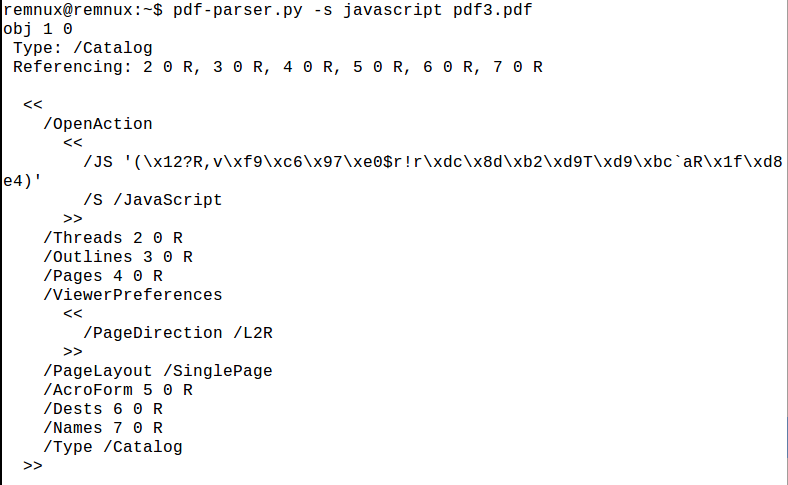
Executing pdf-parser
4. To get a visual sense of the relations and dependencies between the PDF objects, I used the pdfobjflow command
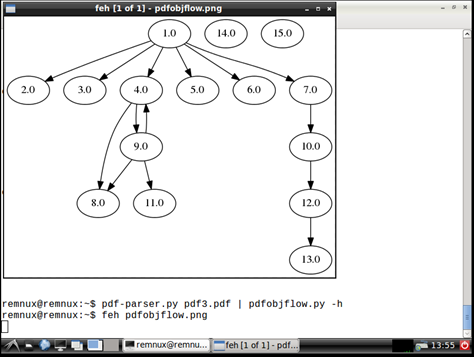
Executing pdfobjflow
5. After identifying the JS objects, it is feasible to deploy to an open source JS unpacker to extract the suspicious JavaScript code from the file. I used jsunpackn for this purpose and obtained these results:
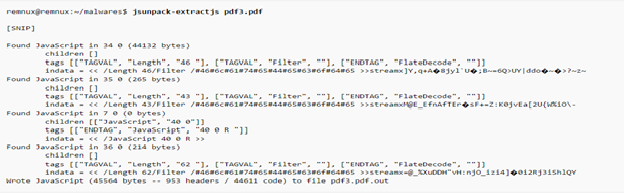
Executing jsunpackn
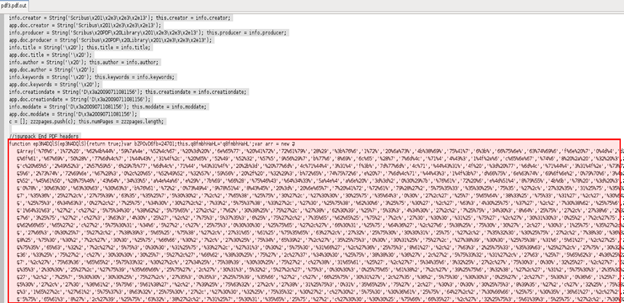
Output of jsunpackn
6. After removing the jsunpackn header, I saved the file with .js extension and run the same on Mozilla’s JS engine Spidermonkey.
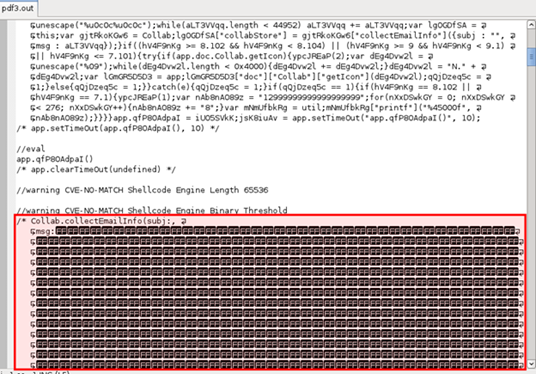
Output from SpiderMonkey
Outcome
From the steps above, I determined that the malicious JS code is collecting email information of the user without their knowledge. I can use this important information for my benefit when dealing with the source of this PDF file.
Additional Step(s)
Further analyses requires extracting the shellcode, then analyzing the shellcode and emulating it with libemu/sctest to get more detailed information.
I hope you found this tutorial/walkthrough interesting and engaging. Follow my blog for posts on similar topics!
Fin.
Let's keep the conversation going
If something here resonated, I'd genuinely like to hear from you.
Get in touch