Applying via uni-assist
Uni-assist is a facility for the preliminary examination of international applications, submitted by more than 180 universities in Germany.

Uni-assist, the working service point for international student applications, is a facility for the preliminary examination of international applications, submitted by more than 180 universities in Germany.
Steps for a successful application
Online Application
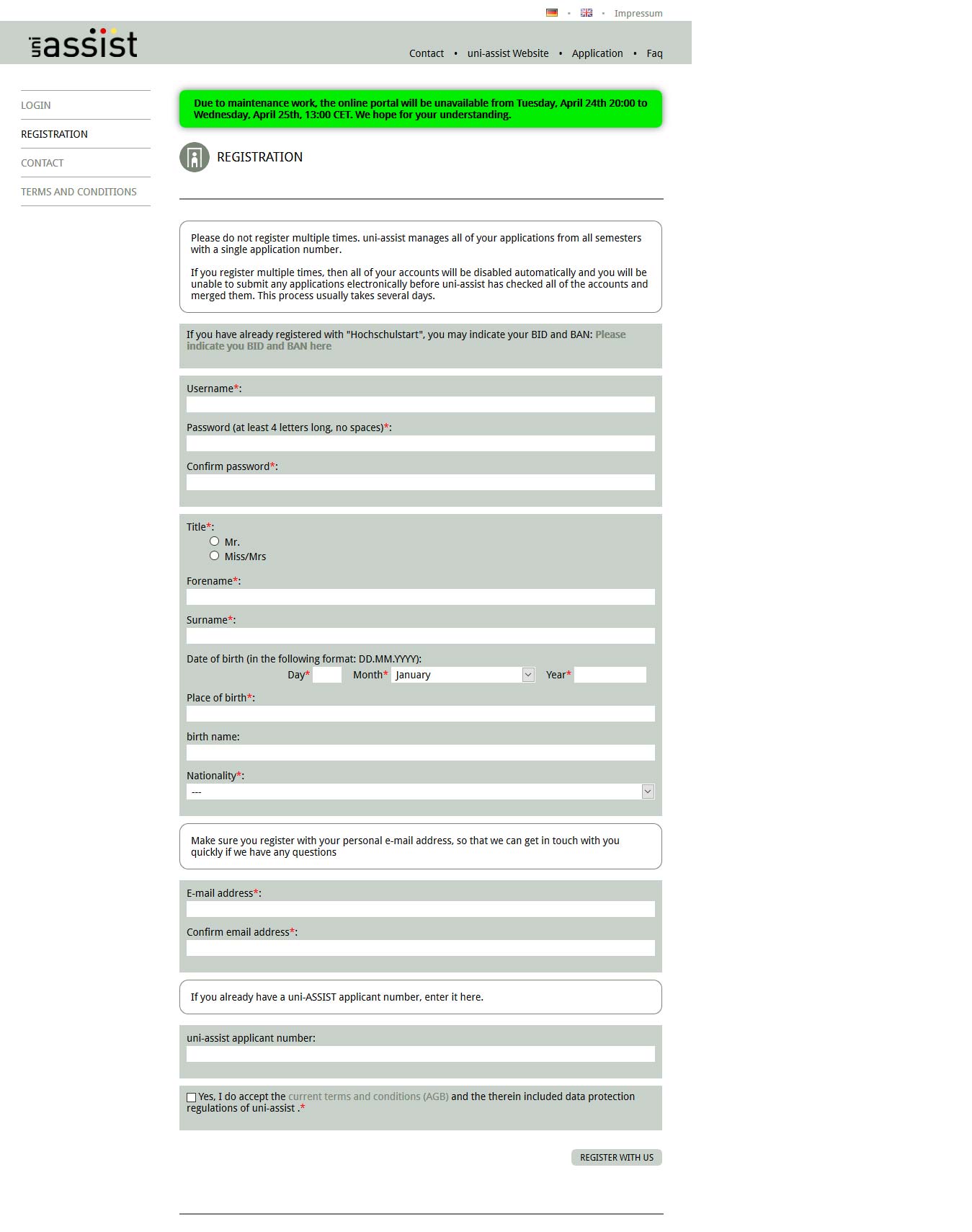
1. Create a uni-assist account via this link. Next, click on Registration in the left panel. Uni-assist will verify your account details and confirm its creation via email, so make sure all your details are submitted correctly.
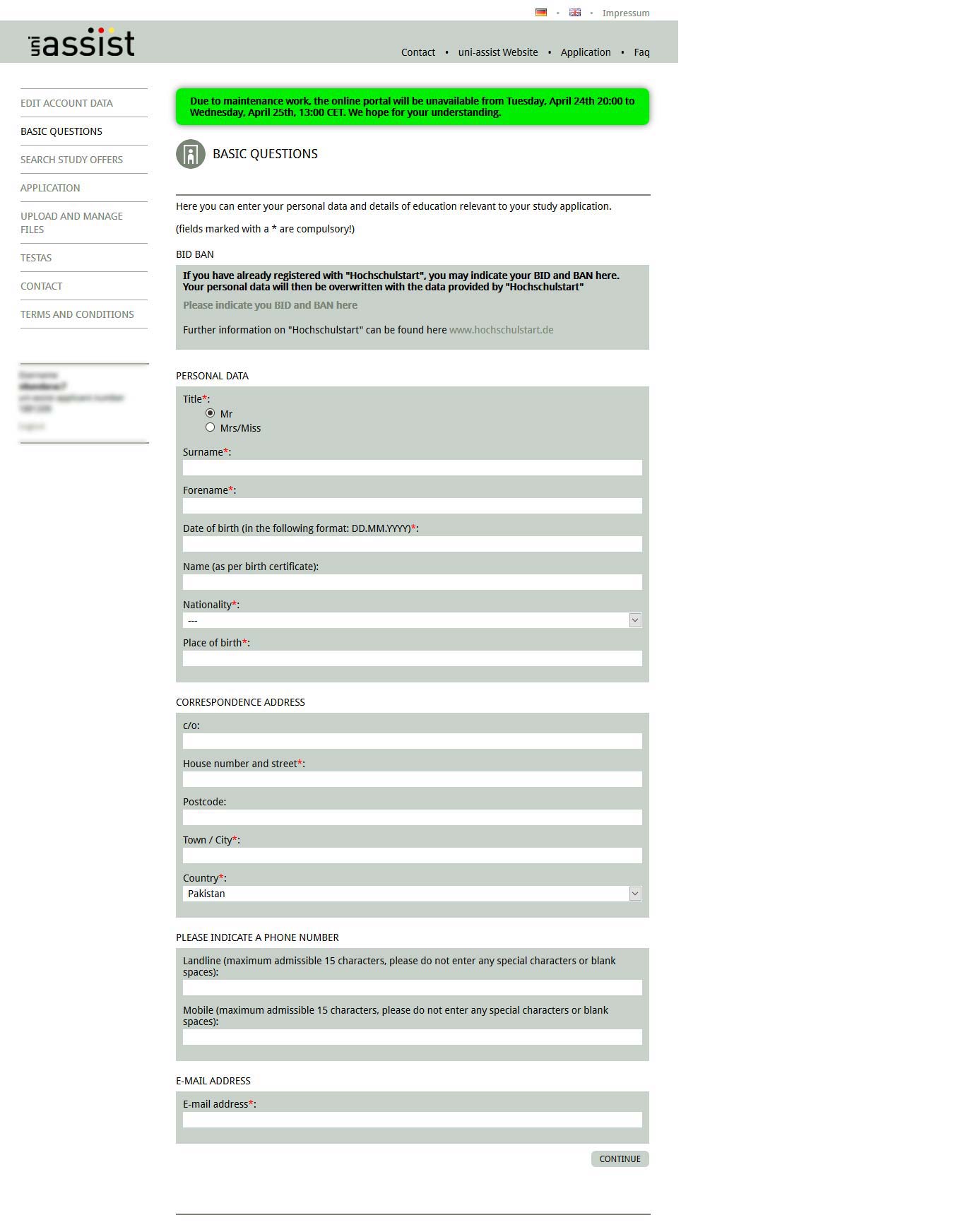
2. After account confirmation, answer the Basic Questions which include your personal details and educational background.
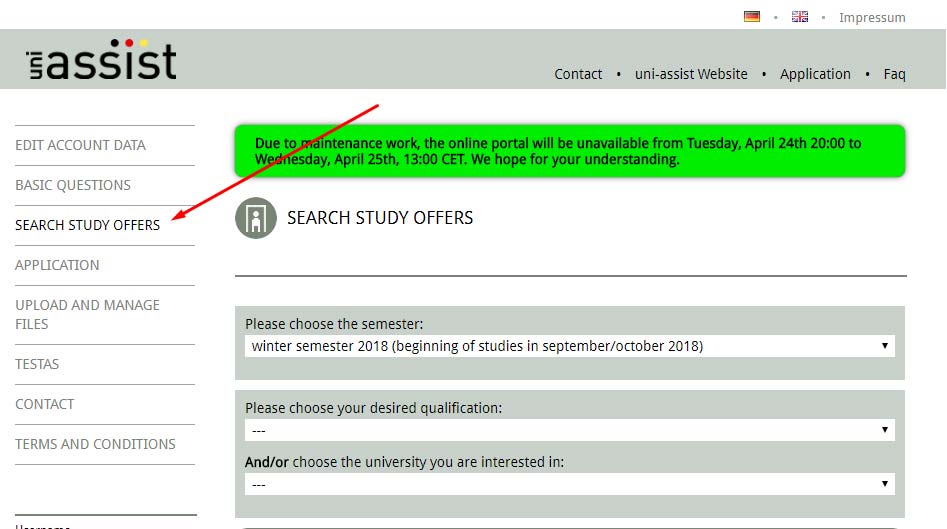
3. Now, search for relevant programs by clicking on Search Study Offers in the left panel.
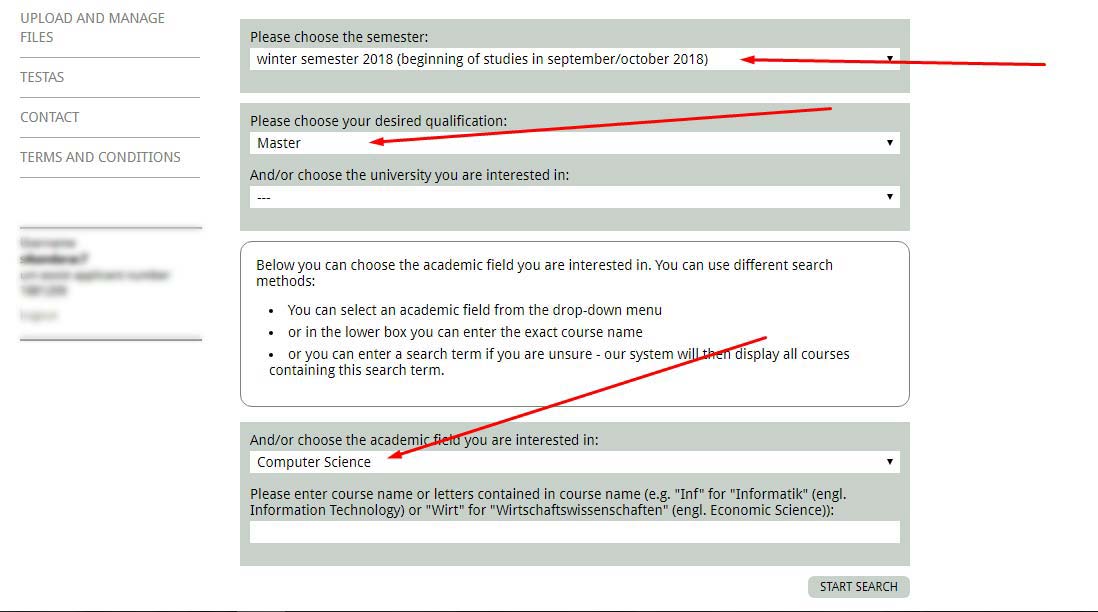
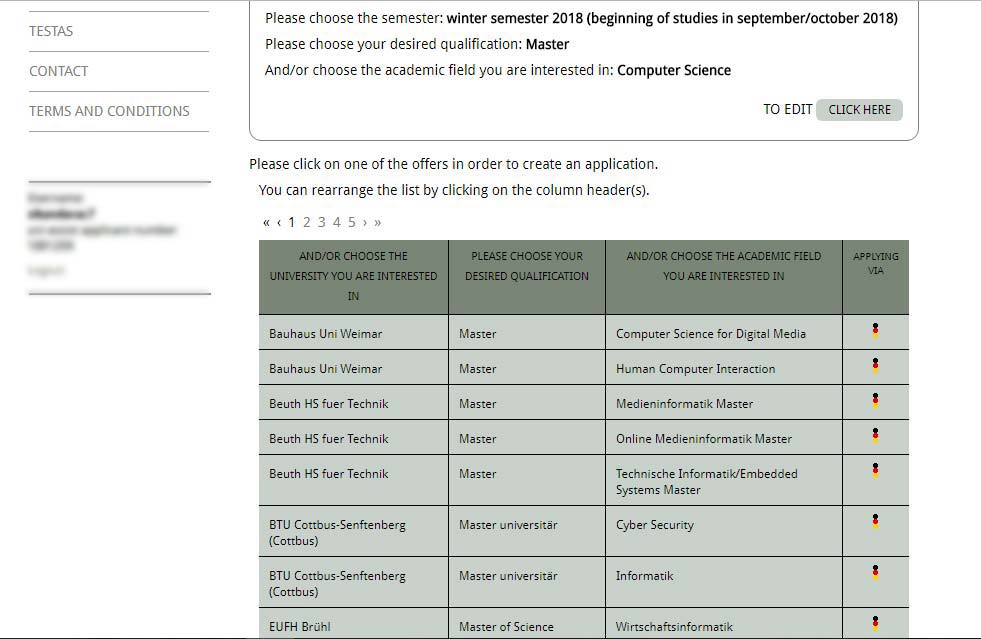
4. Choose your desired program and click on the Create an Applicationbutton near the bottom of the page.
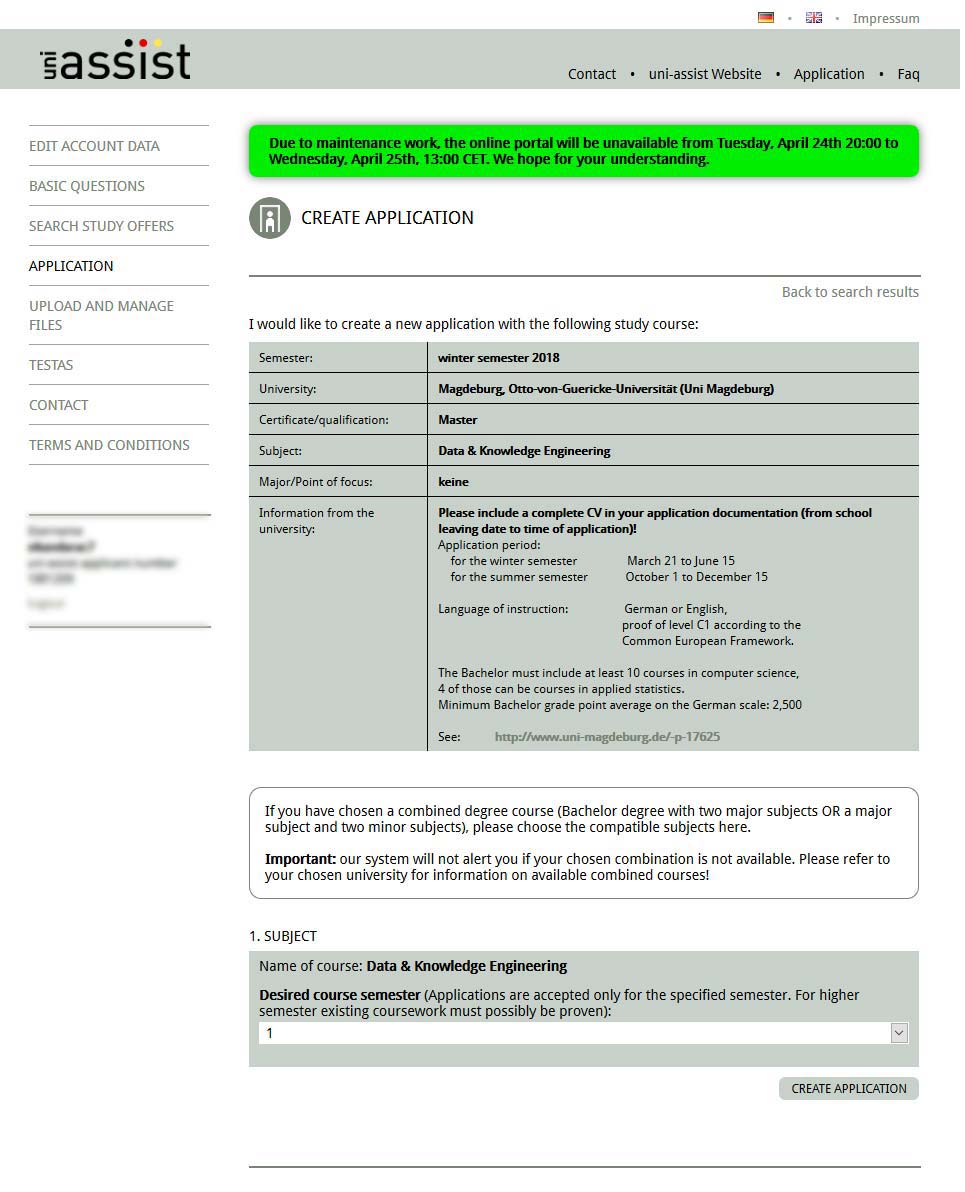
5. Your application for the selected program is now successfully created. Next, fill in the relevant information.
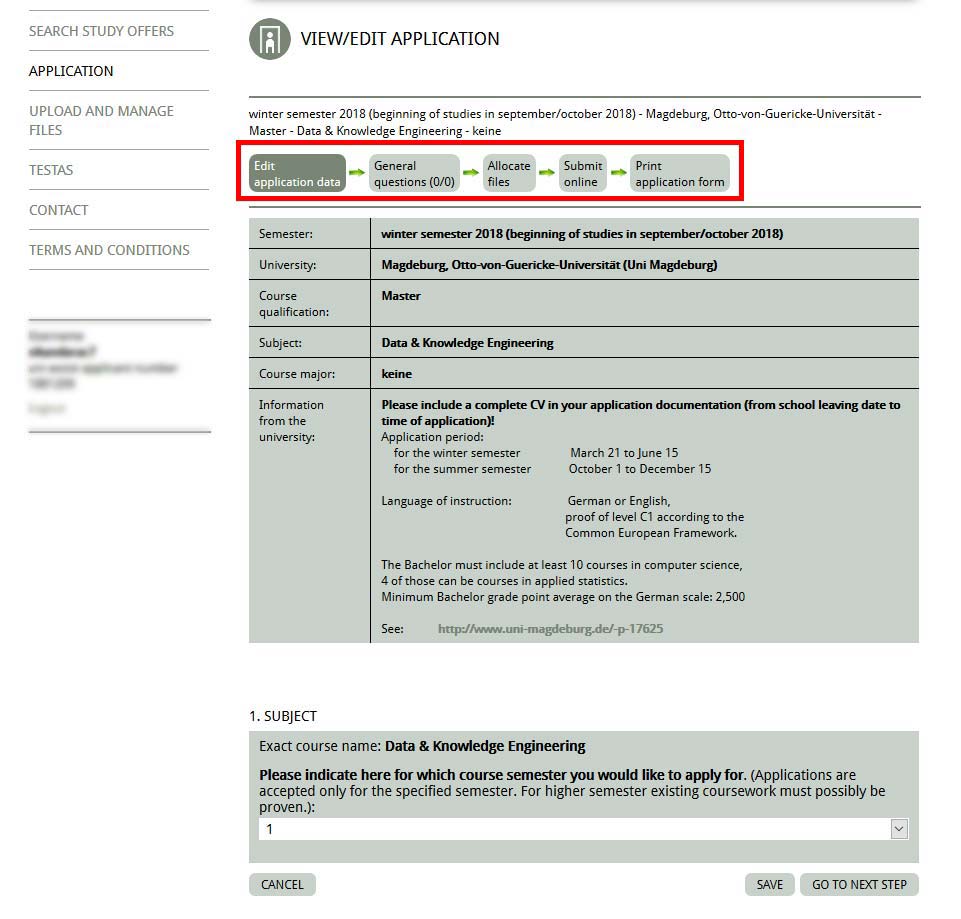
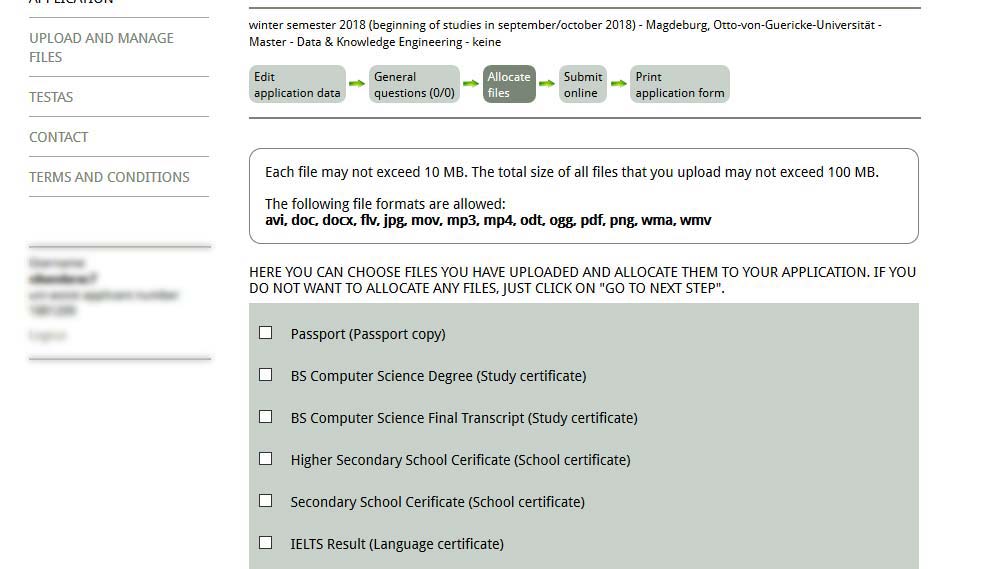
6. Allocating files to your application is the most important part of this procedure. First, upload the scanned copies of the required documents for your application.
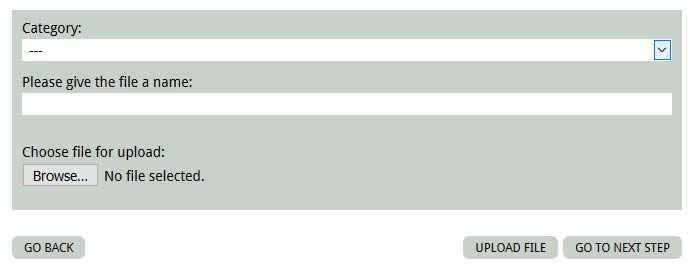
A list of all your successfully uploaded files is visible immediately. Next, mark the check-box against the files that you wish to allocate against your application.
7. Submit the application online.
8. After online submission, obtain the PDF file of your application.
9. Uni-Assist will now allot you an application ID and confirm your application submission via email.
Note(s):
- You can apply to several programs in different universities or to different programs within same university. Each program requires a separate application (following the same method), even you are applying in the different programs of the same university.
Posting documents to uni-assist
10. Print the application form (obtained in Step 8) from the uni-assist portal and SIGN it.
11. If you have multiple applications, print and sign all of them.
12. Print or copy all the documents that you alloted to your online application (in Step 6).
13. After successful submission of your online application, post the copies of your documents + application forms to uni-assist. (DO NOT send your original documents). The advantage of uni-assist here is that you need to post each document only once, even if you wish to apply to multiple universities.
14. Copies of educational certificates and language certificates need to notarized. (For details on the notarization procedure, please click here.)
15. For information on documents which do not need notarization, please visit this link.
Processing Fees
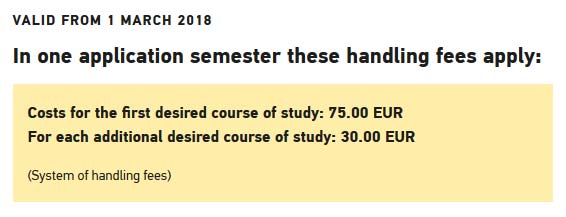
16. Uni-assist is not a free service i.e. they charge a handling fee per application. It amounts to 75 € for the first application and 30 € for each additional application. Pay the application fee as soon as you post your documents. For details on this, please visit this link.
You can read about payment options here.
Tip(s):
- Uni-Assist processes your application(s) only when they receive your payment so make sure to do it on time.
- You will get all types of confirmations (application, payment, processing) from uni-assist via email.
- You can always check your application status from the uni-assist portal.
- If you missed to post a document, uni-assist will inform you via email and then you can send it later.
- Still confused? Read uni-assist FAQs here.
Fin.
Let's keep the conversation going
If something here resonated, I'd genuinely like to hear from you.
Get in touch